Track Active
Your Forms Are Live.
Now We Close The Loop.
FormLock Track is capturing leads from your forms right now. The last step is wiring your Meta Pixel and Google Ads so server-side conversions fire when a lead comes in — and offline closed-deal events upload when you mark a deal won. That's how Smart Bidding learns to find more buyers, not just more clicks.
Forms Are Tracking
Every form submission is captured, scored, and stored. Lead alerts go to your dashboard and the email below. Your tracking script is already firing on your site.
Your FormLock Roadmap
From Code To Closed-Loop.
Click through the whole system — one line of code, connect Meta and Google, then the one-click habit that teaches your ads who actually pays.
First Thing To Do
Confirm Our Sender Address.
FormLock sends lead alerts, scoring notifications, and conversion confirmations from alerts@opsguardiq.com. Check your inbox — and your junk folder — click "I know the sender" so future alerts hit your inbox.
Unknown sender: not added to contacts.
It looks like you haven't been in contact with this sender before — click below to confirm you know them so their messages reach your inbox.
I know the sender
It looks like you haven't been in contact with this sender before — click below to confirm you know them so their messages reach your inbox.
Connect Your Ad Accounts
How We Set You Up.
Meta CAPI and Google Ads OAuth need to be connected to your FormLock account so we can fire server-side conversions and upload closed deals. We do this with you on your setup call — no credentials over email or text.
Why Meta & Google Differ
The Meta and Google Ads paths below look different because the platforms work differently — not because one is better. Meta's CAPI handles events through a single Pixel + Access Token. Google Ads requires a Conversion Action object configured per outcome. FormLock handles both.
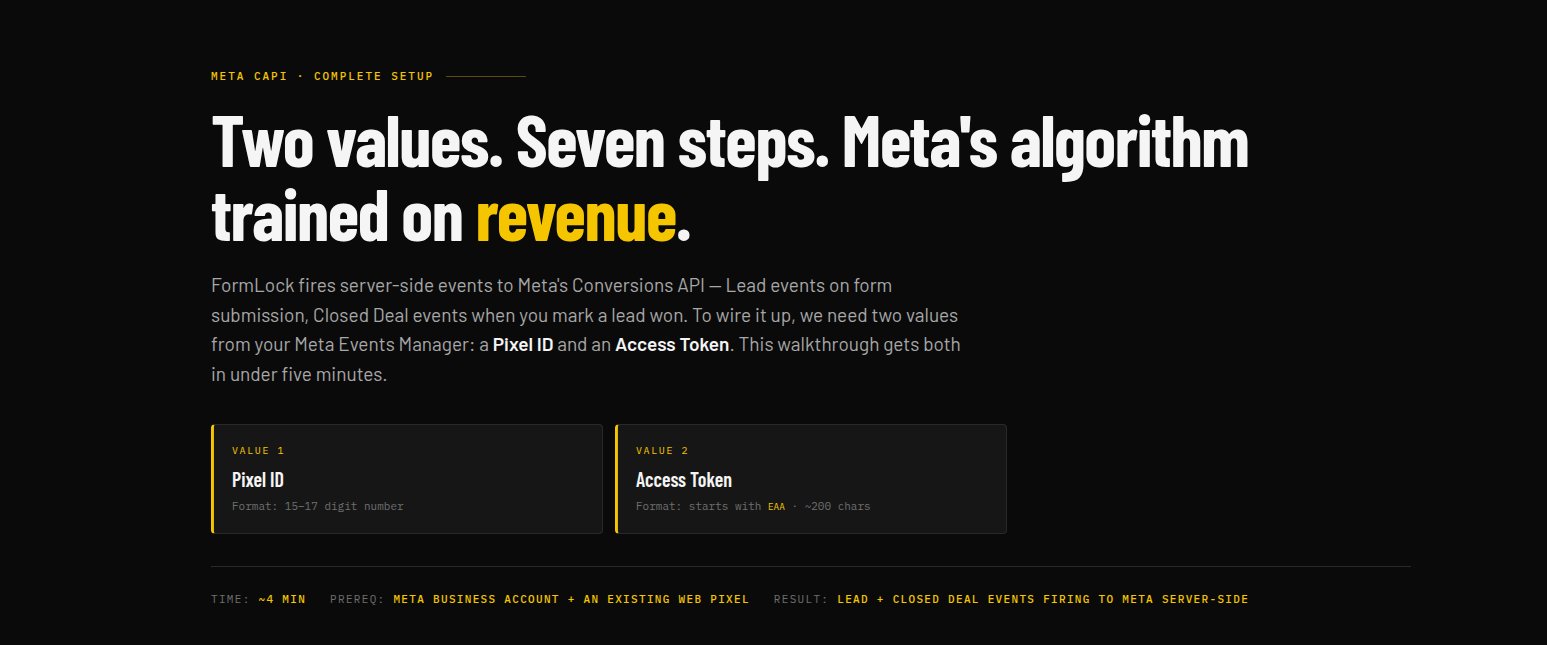
Walkthrough · 7 Steps
Conversions API Setup
Generate your Meta Pixel ID and Access Token, paste them into FormLock, and start firing server-side Lead events the moment forms submit.
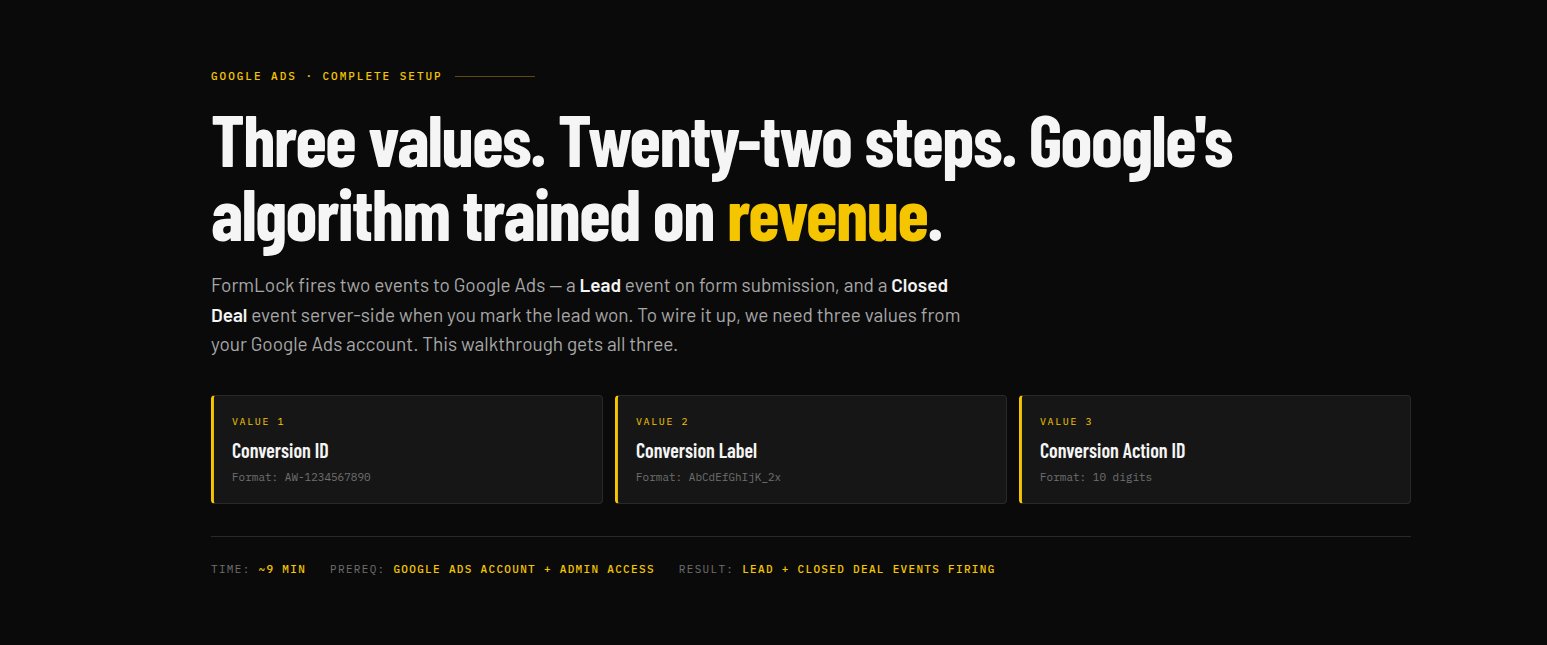
Setup · Auto or Manual NEW
Closed-Loop Attribution
Auto (1 click): OAuth into Google Ads — FormLock creates and validates the conversion action automatically with correct Value, Count, and attribution settings. Manual (22 steps): Build the conversion action yourself following the walkthrough below — same correct settings, just done by hand. Offline conversions upload either way when you mark leads won.
Trial Terms
Zero Risk. Pay Only When It Works.
14
Days Free
Full access for at least 14 days — no card charged. The full window applies even if 15 events fire sooner.
15
Events Before Billing
FormLock must successfully upload 15 conversion events first. If 14 days pass with fewer, the trial continues.
60
Day Money-Back
After billing starts, full refund within 60 days if your ad cost or lead flow doesn't improve.
Billing begins on the later of these two milestones — whichever takes longer.
Option B · Send To FormLock
Have Us Set You Up
Tell us how you'd like to do this. No credentials collected here — we follow up through a secure channel based on your choice. Free of charge. Typical turnaround under 24 hours.